
Chiploader is a reliable assistant in working with modern firmware
On the modern market, you can find many utilities for tuning automotive microcircuits. However, not all firmwares are suitable for a particular engine control unit. To avoid problems during the process of replacing the “brain” of the car, every driver should have the Chiploader or Chiploader 2 program with him. They are designed to quickly read and download almost any software. The presence of this charger is the key to success when performing automatic chip tuning.
1 What ECUs is the bootloader compatible with
The main function of the Chiploader program is to read and write EEPROM and FLASH memory of a large number of ECU models. It's no secret that each engine control unit behaves differently during the flashing process. Some models of equipment download the necessary firmware for the first time, others do it with difficulty. It is in such situations that Chiploader should be used. This program loads any firmware on almost all known control units.
The charger is compatible with the following control units:
- January-5.x; January-7.2+.
- Mikas-10.3; Mikas-12.3.
- Kefico M 7.9.7.
- Bosch M 7.9.7; Bosch M 7.9.8; Bosch MP-7.0.
- Siemens 5WY; Siemens EMS 3132; Siemens SIMK 31.
- Tricore TC 1762; Tricore TC 1796.
- Simtec 76.
- M74.
- ECU Opel etc.
Some problems may occur when reading the Honda Keihin SH7058 and Bosch Kefico M797 ECUs. When working with these blocks, the Chiploader program may unexpectedly stop the download. However, don't pay too much attention to it. Just restart the program and restart the download.
The listed ECU models are equipped with domestic and foreign cars: KIA, Seat, Citroen, Hyundai, Geely, Chery, Volkswagen, Renault, Dacia, VAZ, ZAZ, Daewoo, Audi, Honda, BMW and others.
2 Main features of the program
In addition to versatility, Chiploader has many other advantages. The program supports CAN bus operation via OpenPort2 or CHIPSOFT J2534 devices. The utility can successfully convert firmware into usable formats. In addition, the Chiploader bootloader has the function of protecting the firmware from unauthorized reading. Having a charger with you, you can always check the car for breakdowns. This is achieved due to the possibility of transferring the program to the diagnostic mode. Chiploader also has many built-in functions for working with your users' file base: you can copy, save, share any file.
Thanks to the use of external plug-ins, the charger can be integrated into the ChipExplorer program, which is also necessary for efficient work with the firmware. Using Chiploader you can test any K-Line adapter. Another great advantage of the bootloader is the ability to use it on the latest netbook models.
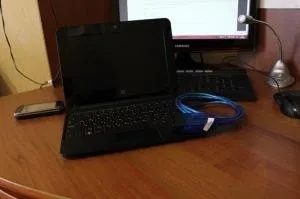
Among other things, regular updates of the Chiploader program should be noted. Thanks to this, the utility greatly expands its capabilities. Today, many of those drivers that bought a licensed program last year use a utility called Chiploader 2, the same bootloader, only updated to the latest version. Such a program gives much more opportunities for converting firmware to the required formats. The utility is suitable for working with the latest version of Windows 8, has an updated interface and many additional features for working with user firmware.
3 Working with the Chiploader
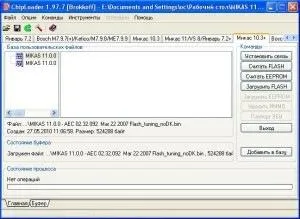
To start work on flashing the ECU, you will need to remove the unit from the car. After that, install Chiploader on your computer and connect the ECU according to the instructions. Next, install the drivers on the romo cable. Next, go to the bootloader menu and click on the “Options” window, then select “Settings”, where we select the speed and port number. If you do not know how to choose the optimal settings, this data can be tracked in the “Windows Device Manager”.
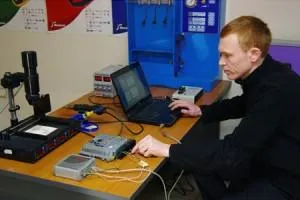
Then click on the “Establish a connection” window and wait for the download to complete. It is very important to start reading from this button. Otherwise, further actions with the utility will not bring results.
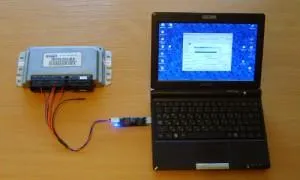
Once the connection is established, click on the “Read FLASH” window and wait for it to complete. You can proceed by copying and formatting the firmware. The main thing is to follow the instructions of the program. Both Chiploader and Chiploader 2 have a clear interface, thanks to which even a teenager can work with the loader.
4 Purchasing a licensed utility
According to statistics, more than 60% of domestic buyers are faced with fake chip tuning software. To protect yourself from buying low-quality utilities, you should pay attention to the contents of the package. The original Chiploader includes:
- A disk with a bootloader and the necessary drivers for operation;
- K-Line adapter;
- USB drive.
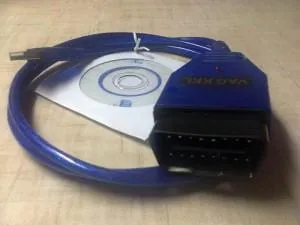
If you see a kit that does not contain at least one of the components, do not under any circumstances buy it. Otherwise, you will not only not be able to work with the new firmware, but also corrupt the old software on your car's ECU.
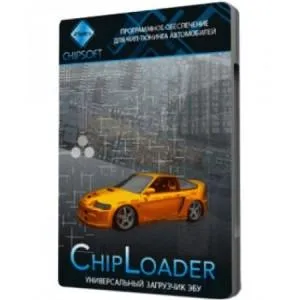
In addition to the contents of the kit, pay attention also to the packaging of the product. Mandatory presence of the inscription “License” and a special protective hologram. Many chip tuning experts recommend buying a bootloader exclusively in specialized stores. You should not download “pirated” versions of utilities that the Internet is literally full of.
